Finish whatyou start.

Through is a to-do app for work and life that tells you what to do next, helps you focus, and makes finishing feel good. Every tab is a monster, and a buddy cheers you on.

Install it on iPhone, Android, Mac or PC straight from your browser, no app store needed. Everything syncs. See the 2-minute setup guide.

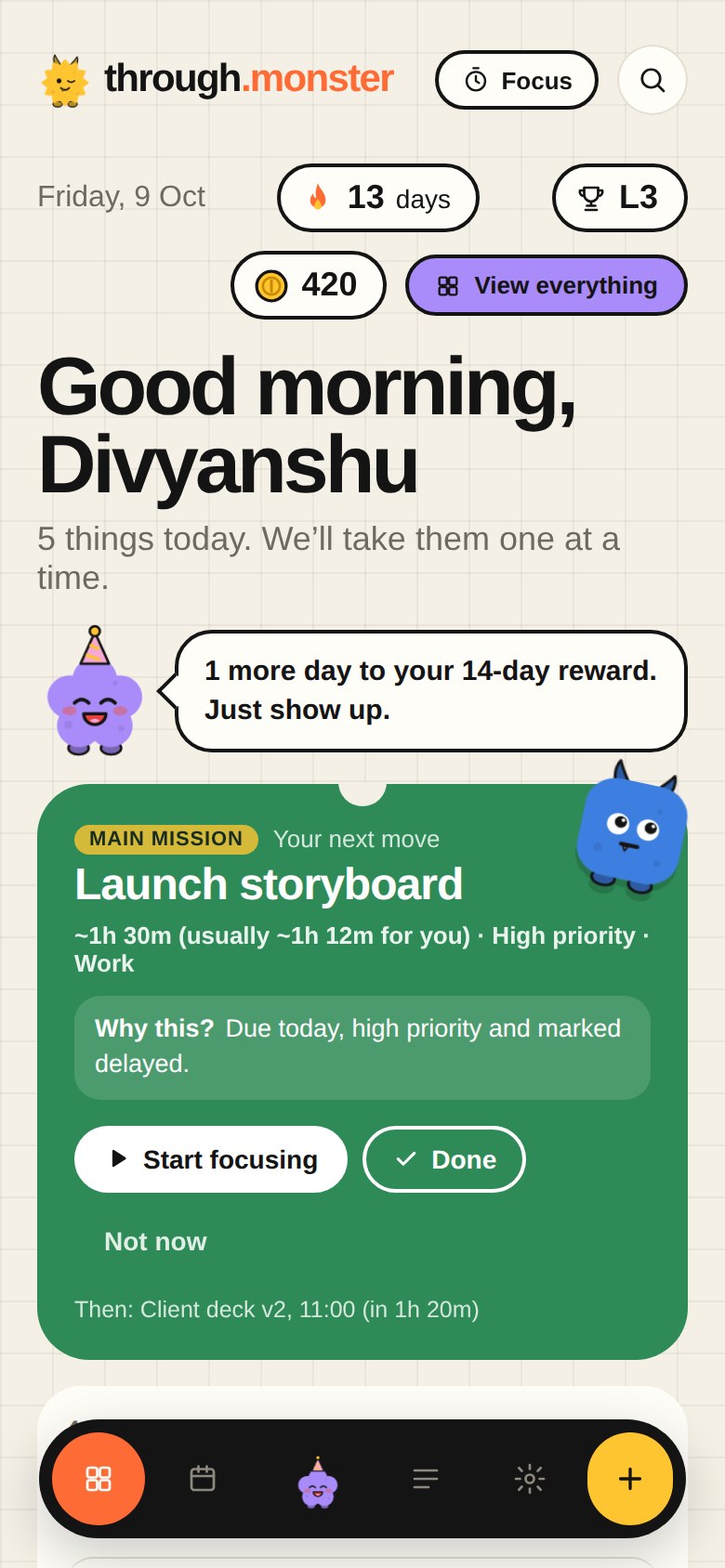
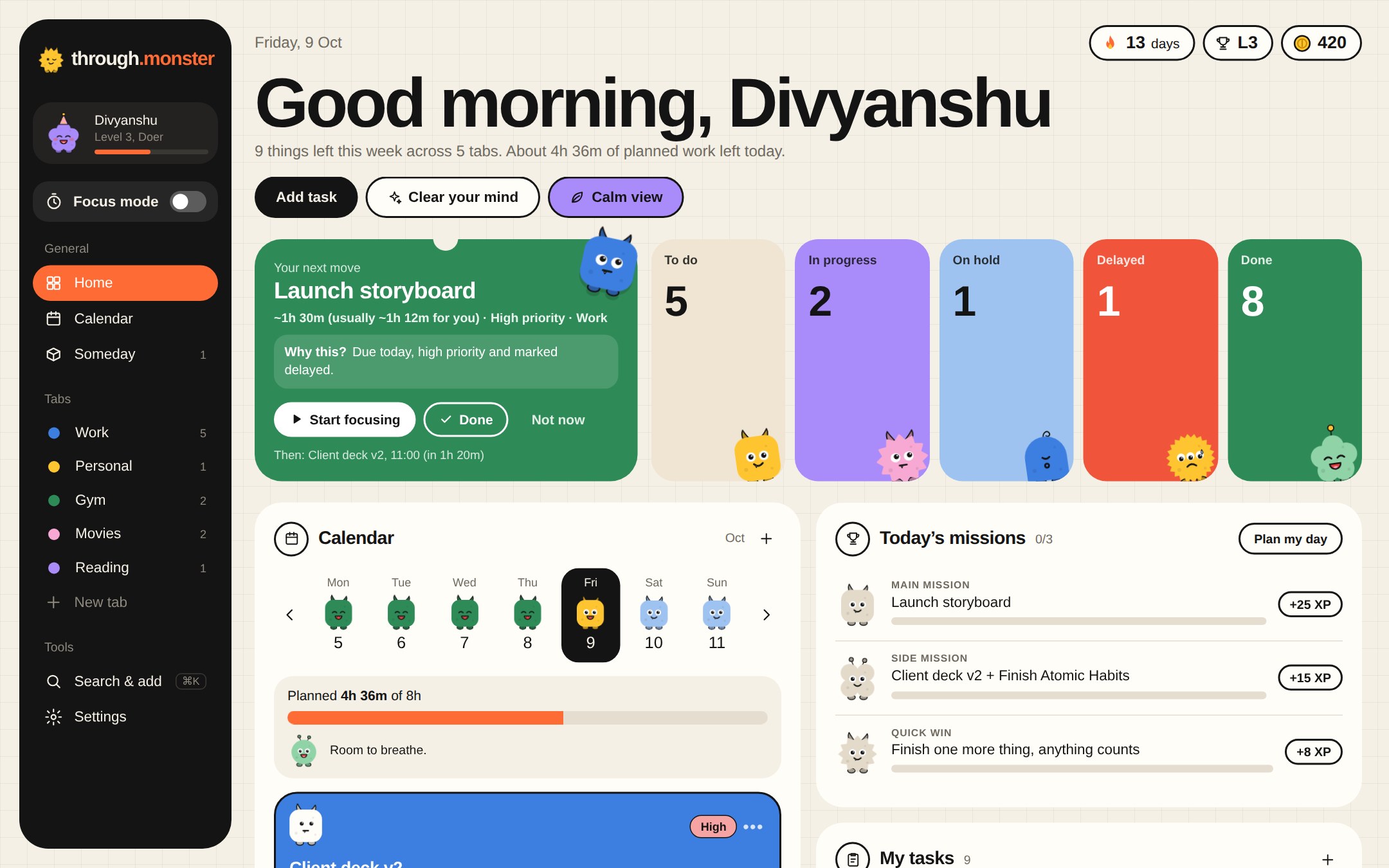
Through home screen: greeting, a Next up countdown, status tiles with monsters, a calendar strip and a list of this week's tasks
Through on a phone: a calm greeting, the buddy and your next move

Work tools are too heavy for life. List apps turn into graveyards.

Through sits in between: structured enough for real work, light enough for movies and the gym, and kind enough that having a lot to do feels lighter, not heavier.

One simple loop.

Through doesn’t just store your tasks. It helps you get through them, one at a time.

  1. DecideThrough picks your next move and tells you why.
  2. FocusOne task, a timer, and calm sound. Nothing else.
  3. FinishSwipe it done. See exactly what you earned.
  4. LearnIt learns your pace and your best hours.
Decide

Know what to do next.

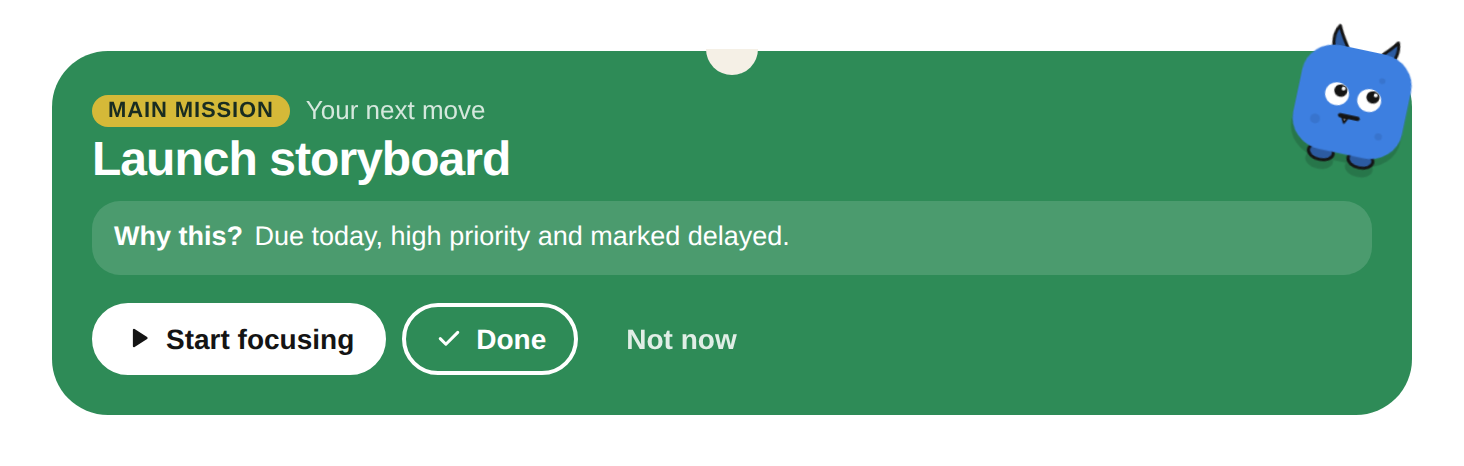
Open Through and your next move is waiting: one task, with a plain reason why it’s the right one right now.

  • “Why this?” explains the pick: due today, high priority, fits before your 11:00.
  • Not now sets it aside. Set everything aside and Through lets you take a breather.
  • Skip something three times and your buddy offers to break it into smaller steps.
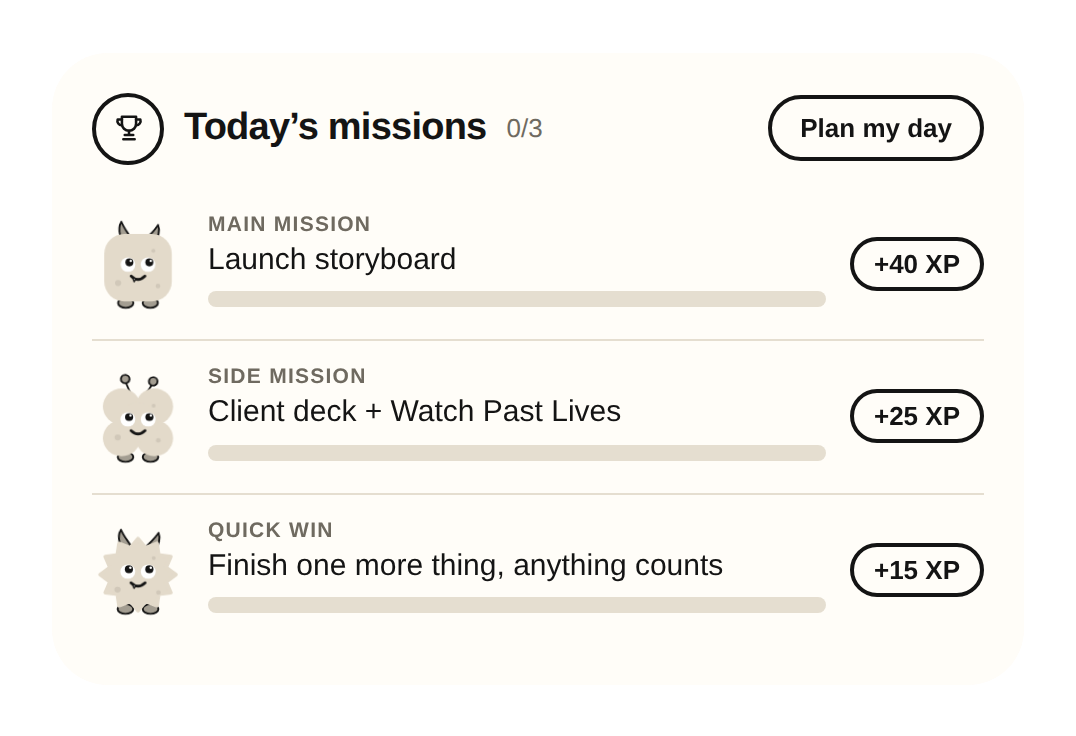
  • Three daily missions come from your real tasks: a main mission, side missions and a quick win.
Your next move: Launch storyboard, with Why this and Start focusingToday’s missions: main, side and quick win
Plan

A day that actually fits.

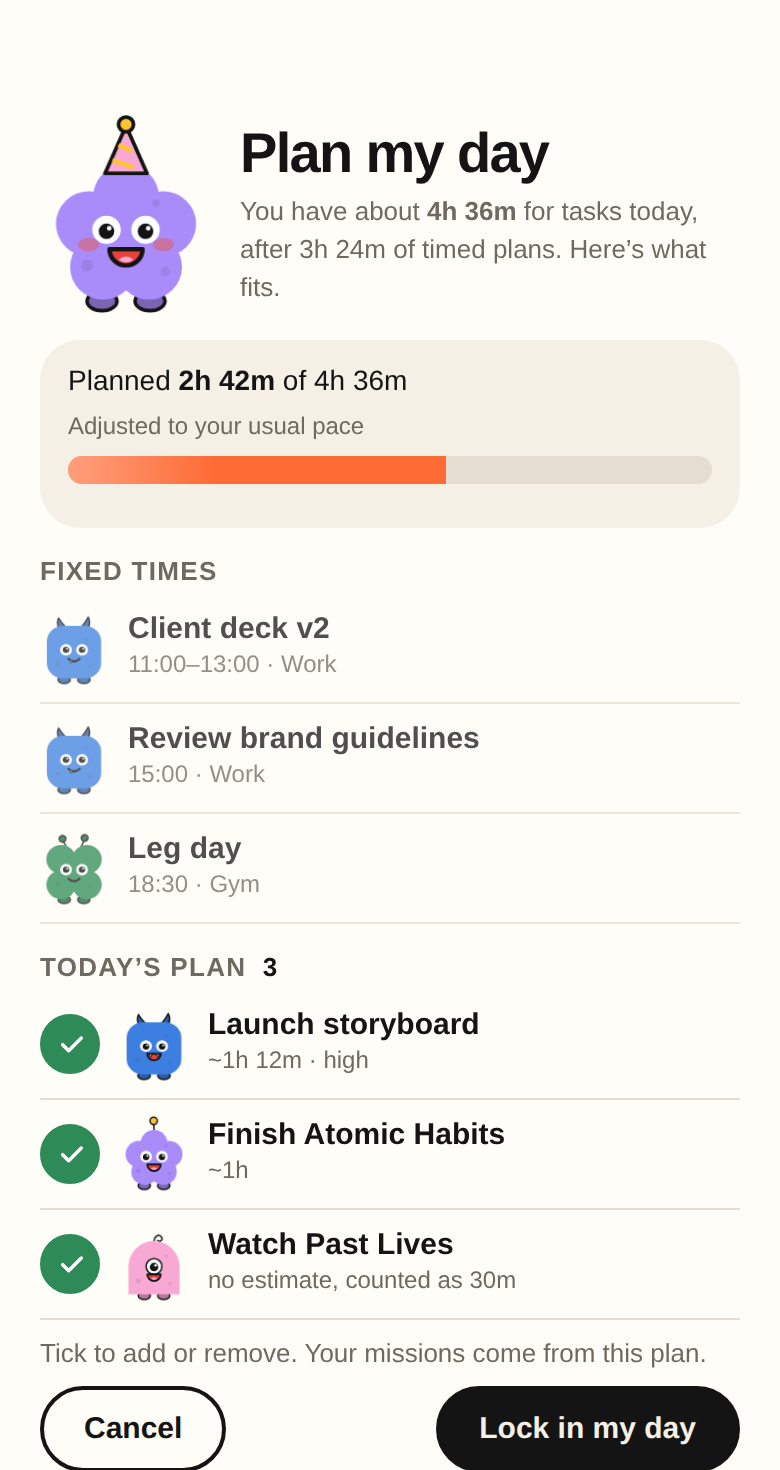
Plan my day counts your timed plans, then suggests the tasks that fit the hours you really have. What doesn’t fit moves to tomorrow, later this week or Someday in one tap.

  • A capacity bar adjusted to how long things usually take you.
  • Your missions are built from the plan.
  • A gentle warning before any day gets overbooked.
Plan my day: 2h 42m planned of 4h 36m, with fixed times and today’s plan
Clear your mind

Say it. Through files it.

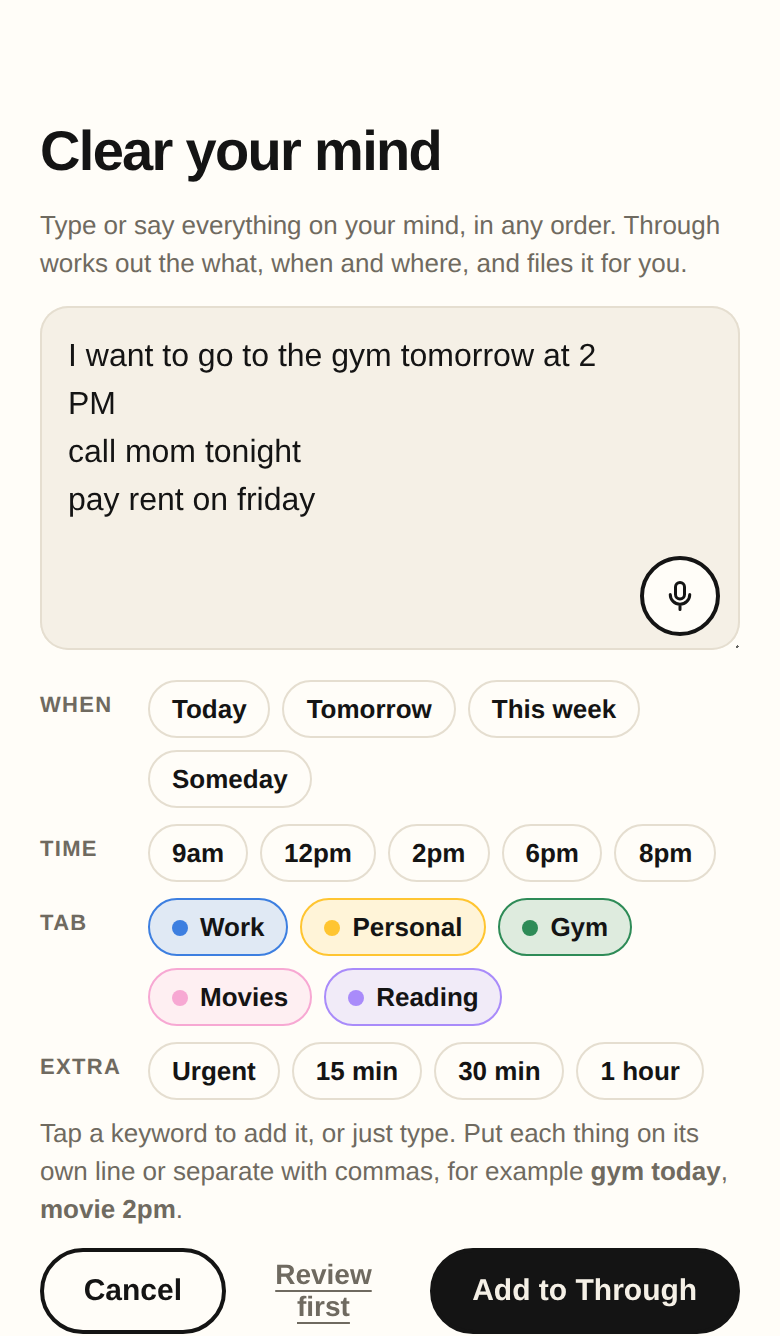
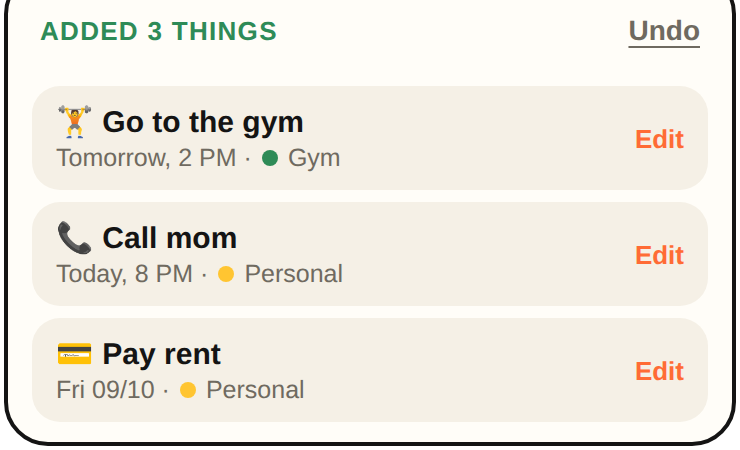
Open Clear your mind, tap the mic and talk like you would to a friend. “I want to go to the gym tomorrow at 2 PM” becomes 🏋️ Go to the gym · Tomorrow, 2 PM, in the right tab, with a tiny confirmation you can edit or undo.

  • No forms and no syntax. Through works out the what, when and where, and asks only when it really has to.
  • Prefer typing? Clear your mind takes a whole list at once. Pick a tab, or just say “in my Work tab”.
  • Every task gets a fitting icon automatically, from 🏋️ to 📞.
Clear your mind: three things typed in plain words, with keyword chips and Add to Through
Added 3 things: Go to the gym, tomorrow 2 PM, Gym. Call mom, today 8 PM. Pay rent, Friday.
Focus

Focus mode, made for real brains.

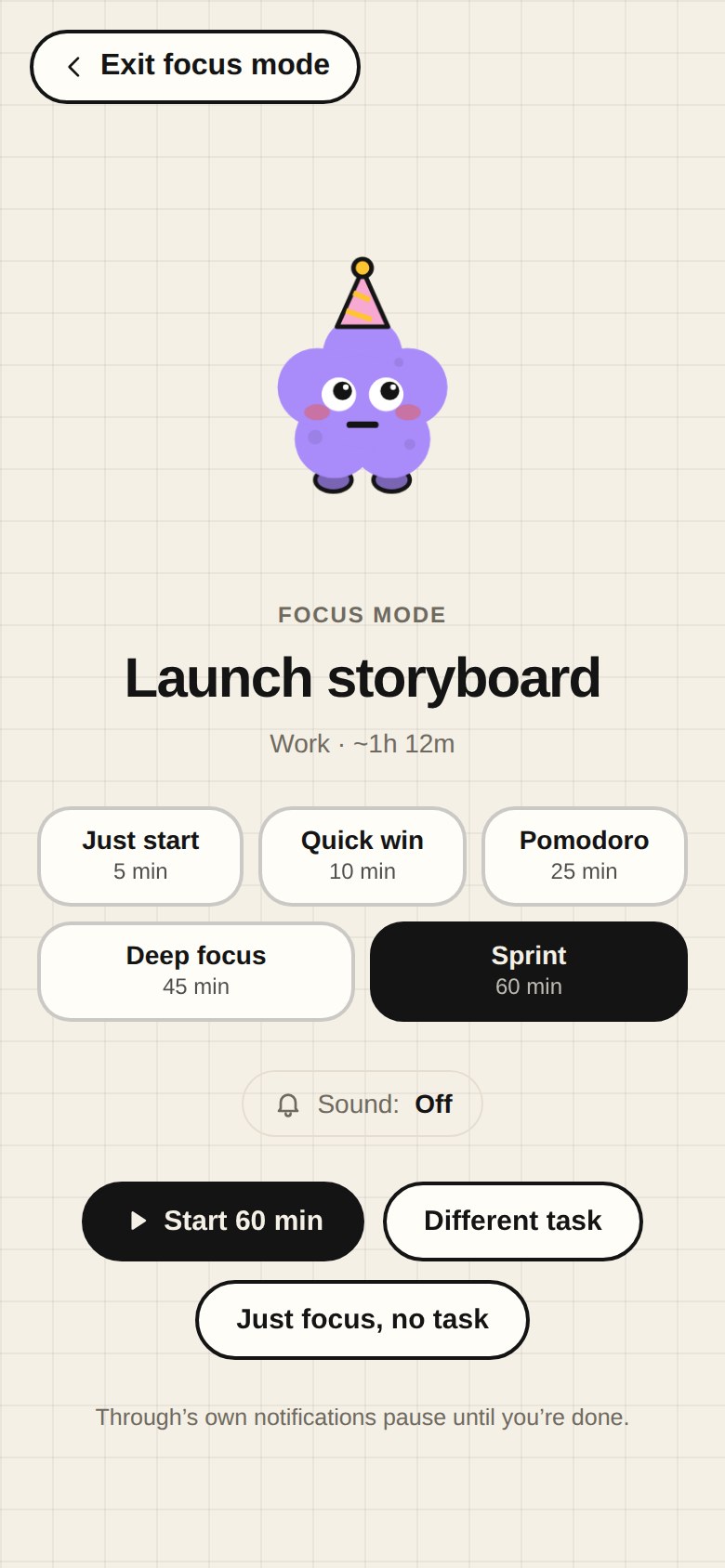
Flip the Focus mode switch and Through shrinks to one task and a timer, on the same calm background as the rest of the app.

  • Just start (5 min), Quick win, Pomodoro, Deep focus or Sprint.
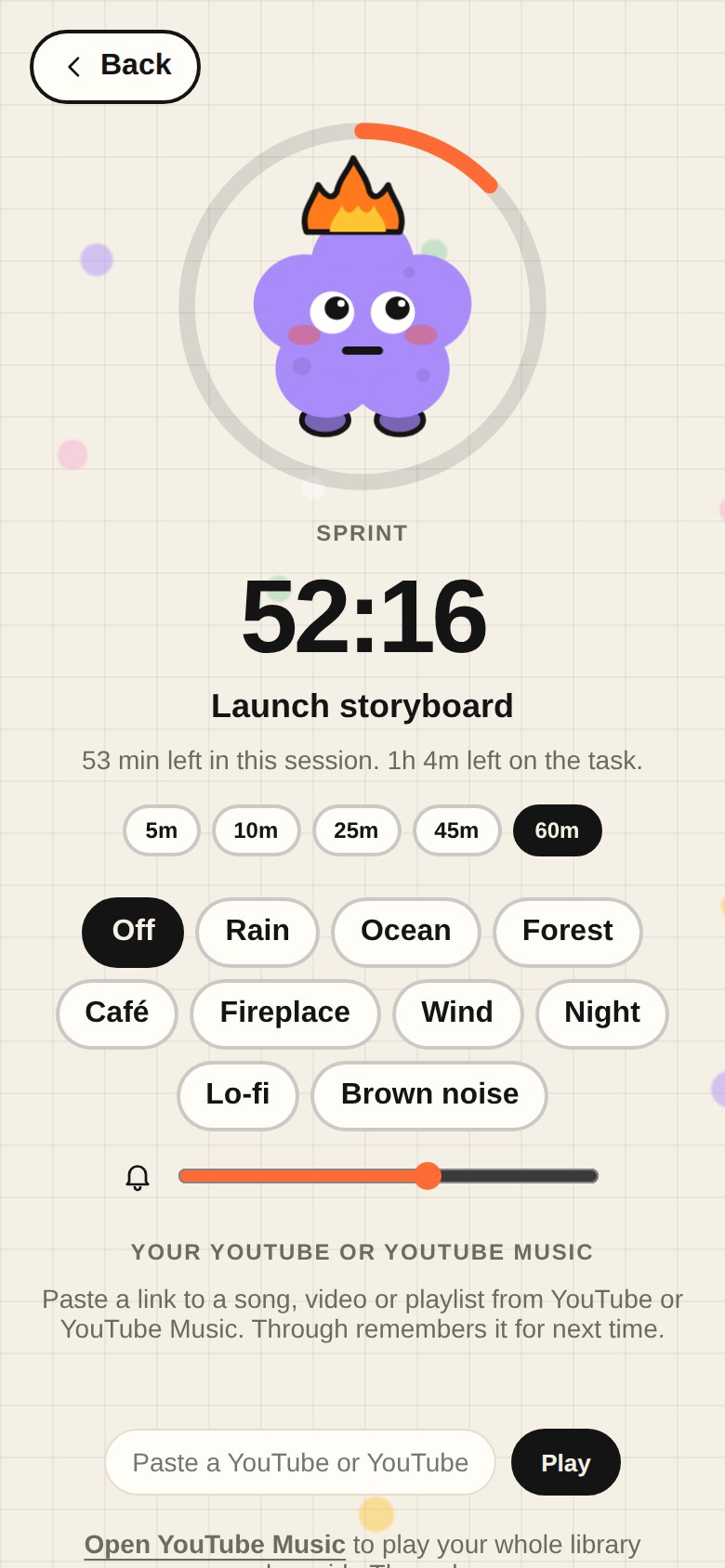
  • Nine ambient sounds, or your own YouTube and YouTube Music songs and playlists in a player you can drag anywhere.
  • A stray thought? Park it in one line and get back to work.
  • Breaks with their own timer. Through’s notifications pause until you’re done.
Focus mode setup with session lengths and ambient sounds
A Pomodoro countdown with the buddy inside a progress ring
Finish

Finishing feels good.

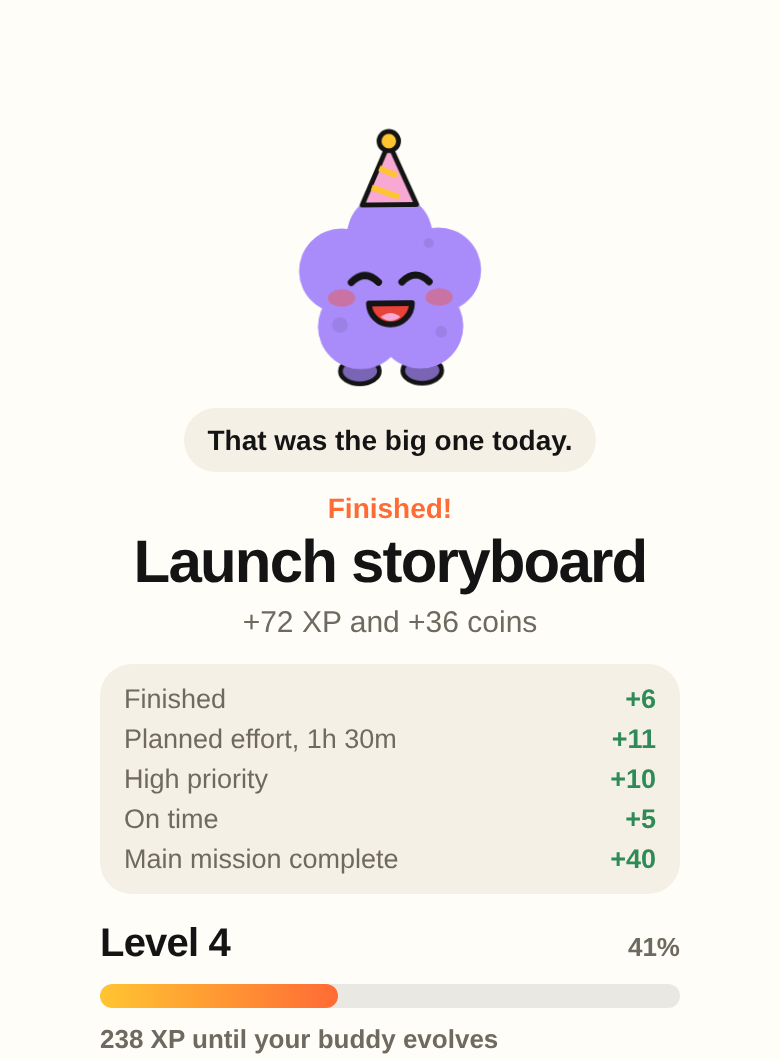
Swipe a task away and get a real moment for it: exactly what you earned and why, how close your buddy is to evolving, and what’s next.

  • XP comes from real effort: focus minutes, priority, finishing on time, rescuing overdue work.
  • Your buddy reacts to what you did: “That was the big one today.”
  • Start your next task straight from the celebration.
Finish card: Launch storyboard finished, +72 XP and +36 coins with the reasons, and level progress+72 XP+36 coins
Organize

One place for work and life.

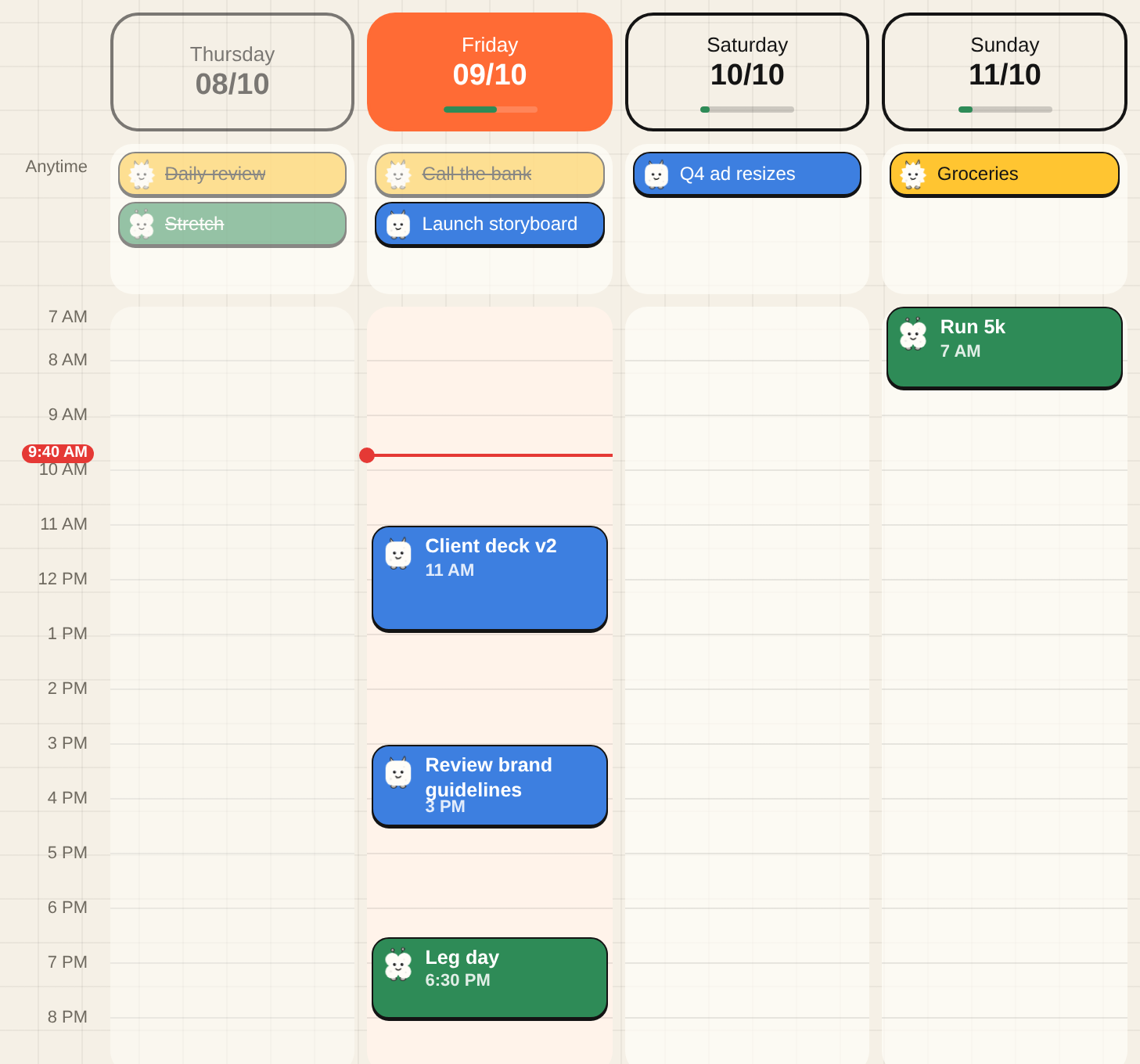
Split life into tabs, each with its own monster and colour. The calendar shows every tab side by side, and you can drag any task to another day, or up and down within a day.

  • Colour-coded tab capsules on every card.
  • Five statuses, priorities, subtasks, estimates and recurring tasks.
  • A Someday shelf for ideas that shouldn’t clutter your week.
Week calendar with times down the side, a red line for now, and compact cards for each taskMoved to Wed 07/10 Undo
Recover

Fall behind without the guilt.

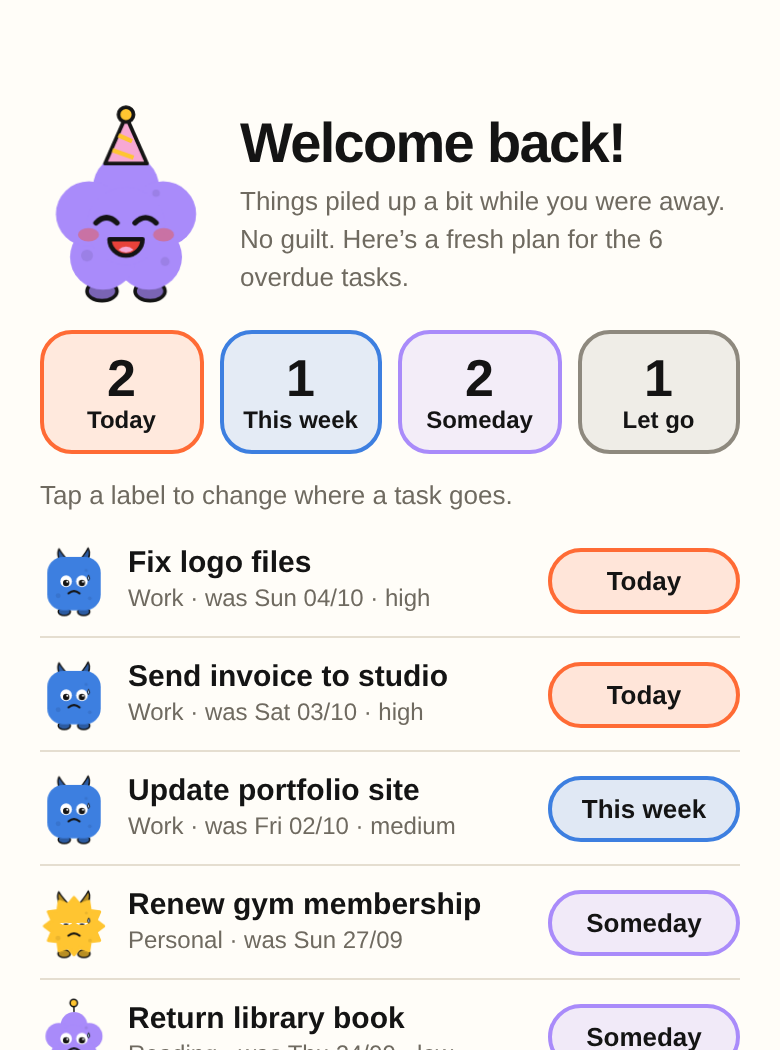
Missed a few days? Through doesn’t shout about overdue tasks. It says welcome back, and hands you a calmer plan in ten seconds.

  • Sorts overdue tasks into today, this week, Someday or let go.
  • Reset my week in one tap, with Undo.
  • Calm view shows just one next move when everything feels like a lot.
Welcome back: overdue tasks sorted into Today, This week, Someday and Let go+10 coins for a reset
The game

A game that rewards showing up.

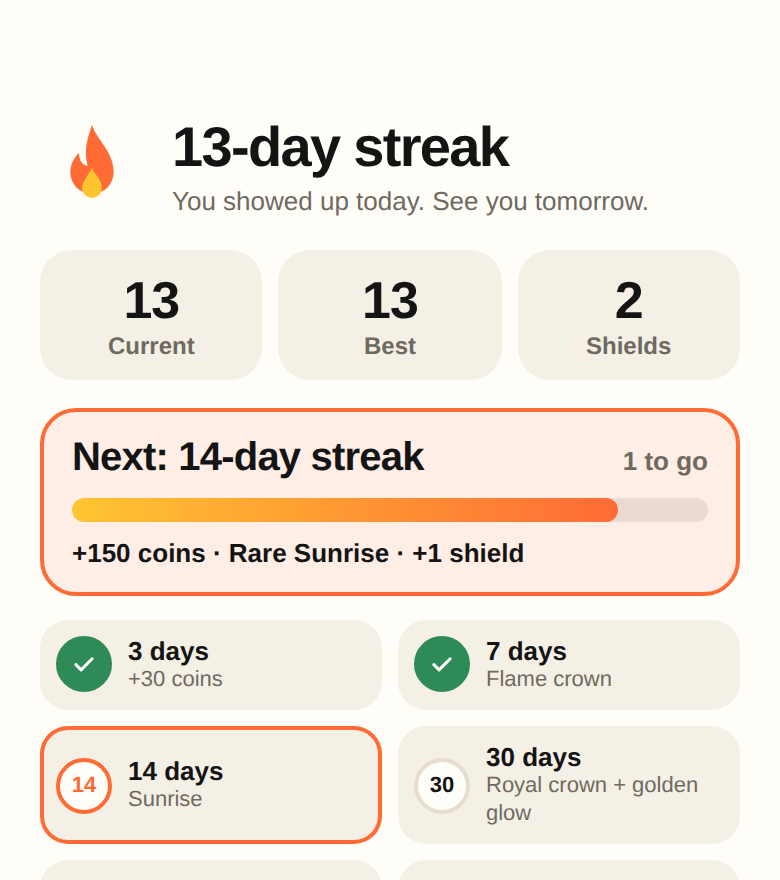
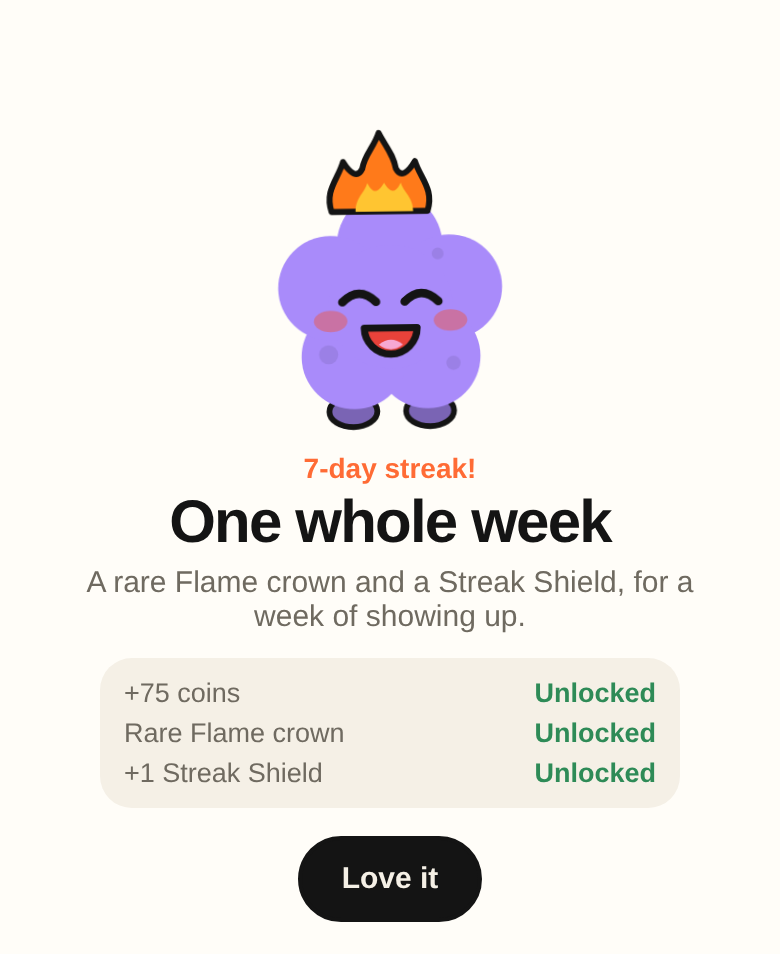
You don’t have to finish everything, just show up. Every day you do earns coins, and streak milestones at 7, 14, 30, 60 and 100 days unlock rare buddy items, a golden glow and a legendary title. Miss a day and a Streak Shield covers it, so one bad day never wipes out a month.

66badges to unlock
3missions a day
36buddy shop items
3Streak Shields to hold
  • Rare, epic and legendary items you can only earn by showing up.
  • Coming back after a break earns a welcome-back bonus, never a guilt trip.
  • Tap your streak to see your next milestone and what it unlocks.
  • Tap your coins to see what you can buy, then dress your buddy up.
13-day streak with 2 Streak Shields, the next milestone and the reward ladder7-day streak unlocked: One whole week, with a rare Flame crown and a Streak Shield🛡️ Streak Shield used
Wins

Proof that you’re getting better.

Instead of another dashboard, Through tells you about real progress when it happens, in plain words.

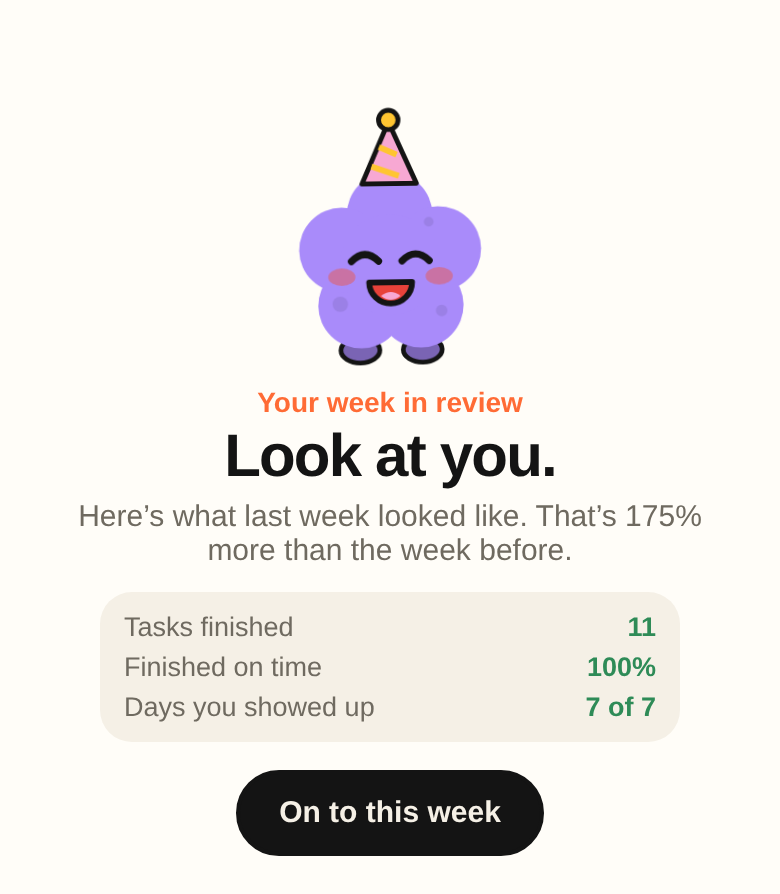
  • A weekly review: tasks finished, how many on time, days you showed up.
  • Insights like “You’re getting faster” or “You’re a morning finisher.”
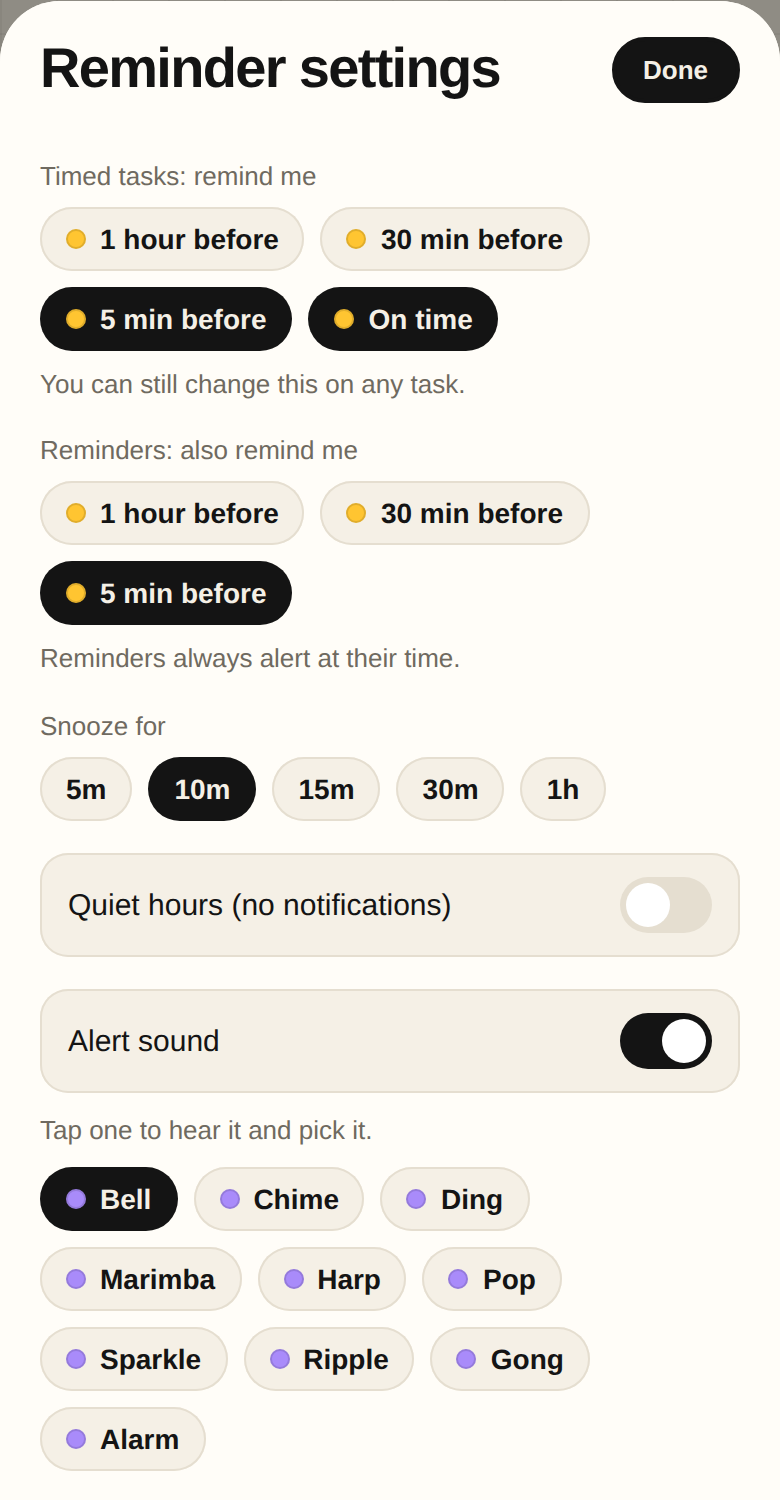
  • Real notifications, even when Through is closed: 1 hour, 30 minutes or 5 minutes before, and on time. Quiet hours and 10 alert sounds included.
  • Through only asks for permission when it’s useful, like when you set a time, and stays quiet while you focus.
Starting now: Client deck v2Tap to open Through and get going.
now
Weekly review: 11 tasks finished, 100% on time, 7 of 7 days showed up
Speed

Add anything in one line.

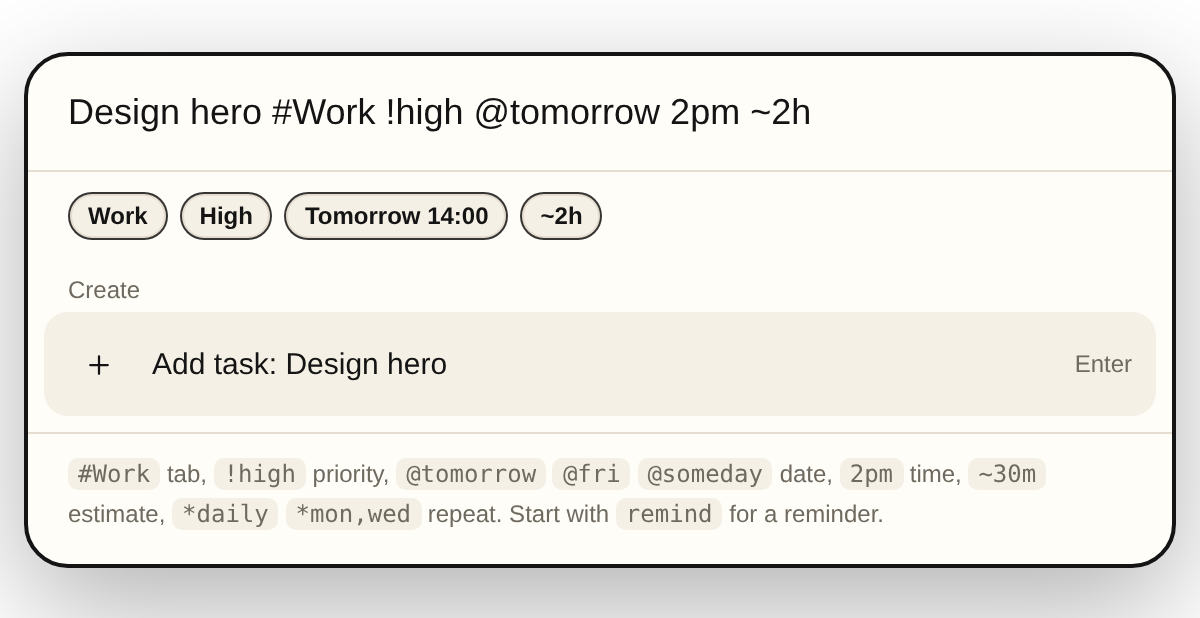
Press ⌘K, or tap search on your phone, and type the task the way you’d say it.

Design hero section #Work !high @tomorrow 2pm ~2h

Through picks out the tab, priority, date, time, estimate and how often it repeats.

Command bar turning one line into tab, priority, date and estimate chips⌘K from anywhere
Boards

Every tab is a board.

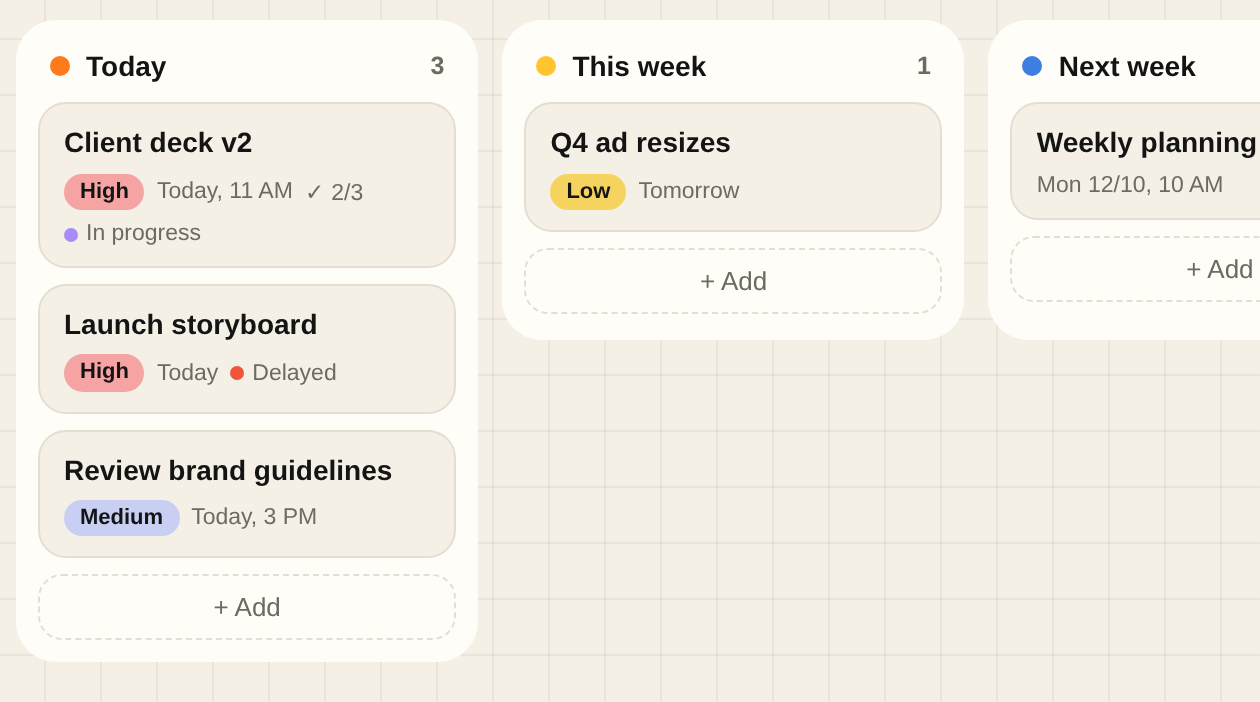
Open a tab and see it like a board: Today, This week, Next week, Later. Drag a card across to reschedule it, or up and down to put it in order.

  • Switch to By status for To do, In progress, On hold, Delayed and Done.
  • Priorities, times and subtasks right on the card.
  • Prefer a plain list? It’s one tap away.
Tab board with Today, This week, Next week and Later columnsMoved to Next week Undo
Someday

Someday, sorted.

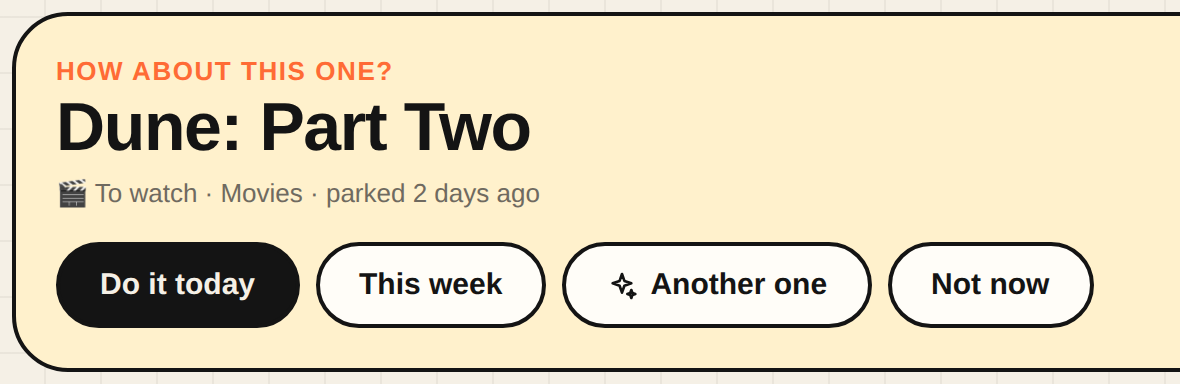
Films, books, ideas and nice-to-haves live in Someday, out of your week until you want them. Through sorts them for you, and can pick one when you have a free evening.

  • Grouped into To watch, To read, To learn, Places to go and more.
  • “Pick one for me” when you can’t decide.
  • Pull anything into Today or This week in one tap.
How about this one? Dune: Part Two, with Do it today and This week buttons🎬 To watch✨ Pick one for me
Reminders

Reminders that actually reach you.

Through rings your phone or Mac even when it’s closed. You choose when: an hour before, half an hour, five minutes, right on time. Your buddy keeps it kind.

  • Quiet hours, so nights stay quiet.
  • Ten alert sounds, from a soft bell to a gong.
  • Notifications wait while you focus, then catch you up.
Leg day in 5 minWrap up gently, you’re doing great.
now
Reminder settings: alert times, snooze, quiet hours and alert sounds

And all the small things.

A buddy on your side

Every message is kind. It cheers you on, and never makes you feel behind.

Calm by default

Home opens to one next move. Tap View everything when you want the full picture.

Goals with deadlines

Count up, set a %, or link a tab. Through tells you if you’re on track.

Recurring tasks

Daily, weekdays, chosen days or monthly. The next one appears when you finish.

Share to Through

On Android, share any text from any app and it becomes a task, dates and all.

Goals

Track progress yourself, or link a goal to a tab and watch it fill.

Learns your pace

After a few tasks it knows you take 1.4× your Work estimates, and plans for it.

Any colour you want

Presets or any hex code, for tabs and for the whole app.

Light and dark

Match your device, or pick one.

Syncs everywhere

Sign in with Google or email. Phone, tablet and laptop stay in step.

Install like an app

Add it to your Home Screen or Dock. It opens full screen and works offline.

Backups

Export everything to a file, and import it anywhere.
Meet the monsters.

Thirteen of them, one for every kind of tab. They blink, follow you with their eyes, and get grumpy when things are overdue. Go on, tap one.

Your list,
but finished.

Free to start. Sign in with Google and you're in.

Start free Get the app

How to set up Through on your phone and Mac

The maker

Hi, I'm Divyanshu.

I'm a brand and motion designer. My days are spent on motion graphics, campaigns, presentations and the little tools that make design teams faster.

The problem was, I kept writing lists and not following them. Work tools like Asana felt far too heavy for "watch this movie" or "go to the gym", and simple list apps turned into backlogs I stopped opening.

So I designed the app I wanted: one place for work and life, honest about how much fits in a day, and built so that finishing a task feels as good as a well-timed animation. That's Through. I hope it helps you finish what you start.

Divyanshu

Say hi on LinkedIn